Tuesday, 14 December 2010

Processor (CPU)


The processor is the central processing unit (CPU) which controls the functions of most electronic items. The CPU receives and processes the data / information given then sends it back to the component that is in charge of executing that action. The CPU is made up of six key components:

The control unit: The control unit is the brain of the processor. It receives the data and decides where to send the processed information.

The instruction cache: The instruction cache is where the control unit’s information is stored.

The pre-fetch unit: Input data goes through the pre-fetch which stores a copy of the data before sending it to be processed by the control unit.

The decode unit: The decode unit translate the data into binary code, which is then sent to the arithmetic logic unit.

The arithmetic unit: The arithmetic unit (ALU) receives the code from the decode unit and decides the action needed to carry out the command.

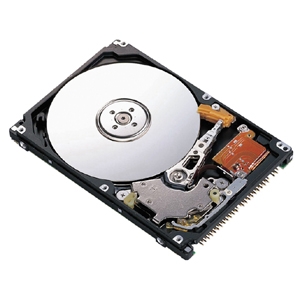
Hard Drive (HDD)


The hard drive is mainly a data storage device which allows the user to store programs and personal data such as photos and music on their computer. The hard drive stores the main software such as the operating system. When the computer boots up it will look for a hard drive which has a bootable program on it such as the operating system (Windows, Linux or Mac) then is will boot into the operating system. Hard drives can also be used for other tasks like backing up data or transferring or storing data portably on a portable external hard drive.

Heatsink


The heat sink is a metal / plastic structure which allows the transfer of heat away from the heat source. Heat sinks are always found on top of a CPU or microchip as these can get quite hot and need to stay cool to function efficiently.

Fans


Fans are used to blow and suck air in and out of the computer case, which gives the computer a circulation of air to keep it cool. The CPU fan on top of the CPU heat sink blows the hot air out of the computer.

Motherboard


The motherboard is the device which connects all the devices together and communicates with them. The motherboard is the most important device for the computer to be able to function. The motherboard has various slots (PCI, PCI-E, AGP, RAM Slots, SATA, IDE etc) which allow components to be added the computer and connects the components to the board so that the computer can communicate with the devices attached.

Random Access Memory (RAM)


The RAM is the CPU’s memory cache. All information that is received, sent or preloaded is stored in the RAM. Computers load all system and program files being used into the RAM. RAM processes every bit of data our computer uses at almost unbelievable speeds. RAM stands for Random Access Memory. Most RAM that is installed on computers can only function when the computer is powered. When the computer turns off the data stored on the RAM is erased.

Complementary Metal Oxide Semiconductor (CMOS)


The CMOS (Complementary Metal Oxide Semiconductor) is a battery cell attached to the motherboard. This battery keeps track of the date and time when the computer is turned off. The CMOS also keeps track of your BIOS passwords and configuration. If the computer is turned off and the CMOS is removed then the time and date will be reset to default and BIOS passwords will be erased.

North / South Bridge


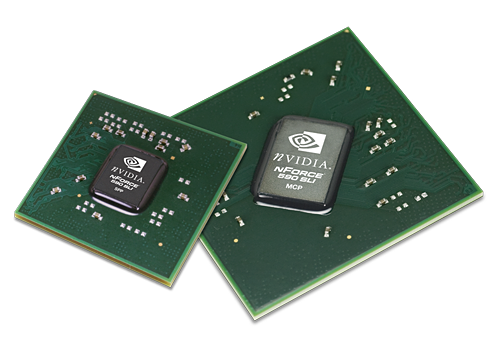
The north and south bridge, also known as a chipset are used to control the flow of data to components on your computer. The north bridge contains the cache and main memory controllers (RAM, CPU and Graphics etc). The south bridge handles data from PCI, USB, IDE, SATA, Network, Audio etc.


How it works:
Let’s just say we want to type a word on the screen, when we press the keys on the keyboard, the command gets sent through the USB connection to the south bridge. The south bridge then sends the command to the north bridge and then to the CPU (Processor), where it will be processed and decoded into binary. Then the CPU will store the command to the RAM before sending it to the graphics card (AGP or PCI-Express). The words will then show up on the monitor.


The north bridge is normally larger and has more processing power then the south bridge because the north bridge needs to process and transfer more data then the south bridge. The example above shows that the north bridge processes / transfer more data then the south bridge as the example used all three north bridge components and the south bridge only used one.

Peripheral Component Interconnect (PCI)


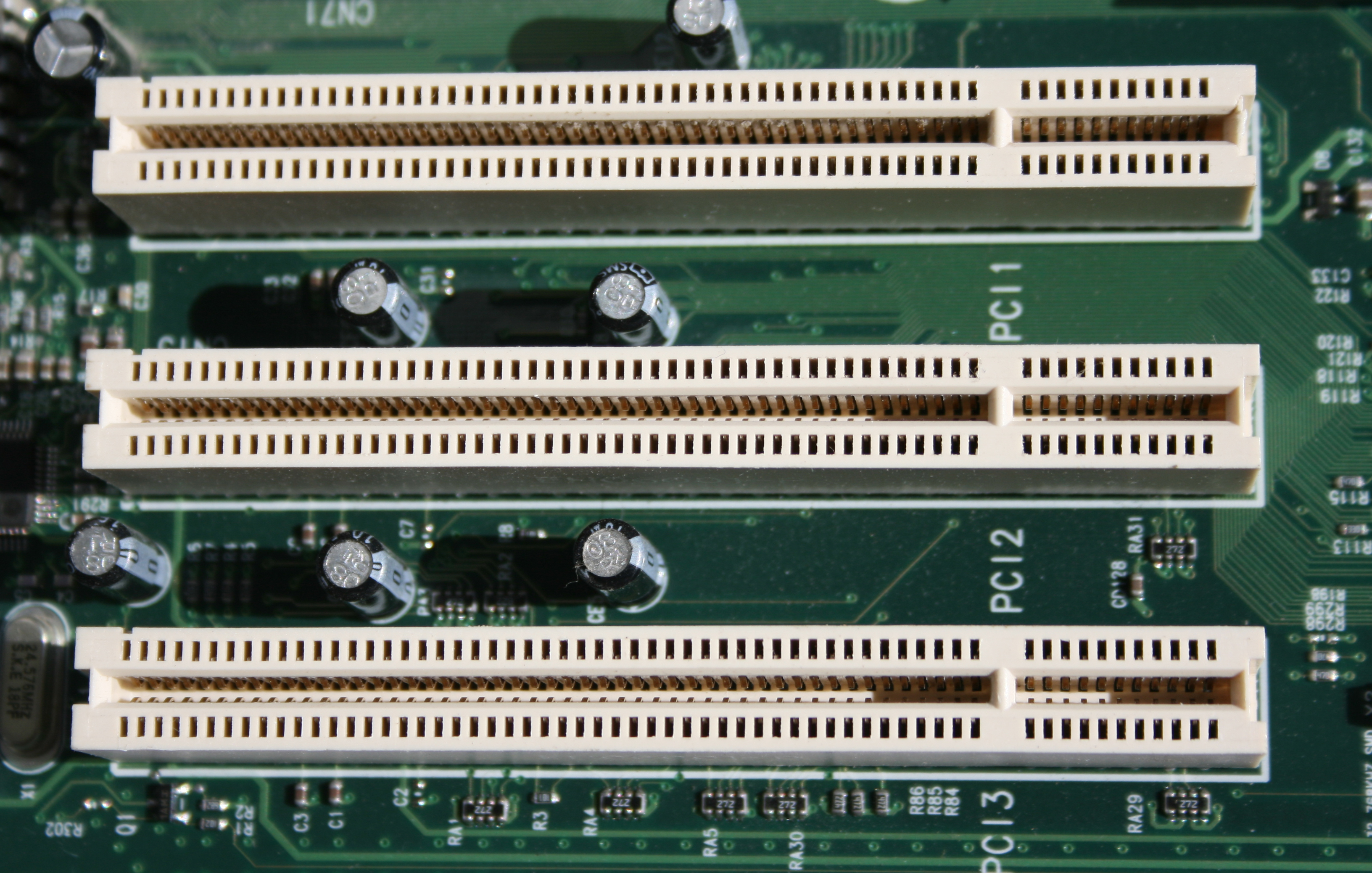
PCI (Peripheral Component Interconnect) slots are used to a variety of components such as NIC’s (Network Cards (Wireless and LAN)), Audio Cards, Graphics Cards, USB Cards, TV Cards etc. The PCI slots are used for expanding hardware of your computer.

Disc Drive


Disc drives are used in every day computers. They are used for installing software (such as operating systems, Microsoft office etc) and watching films etc. The main components of a CD/DVD ROM drive are a small drive motor, a tracking mechanism and a laser/lens assembly, all of which connect to the motherboard of the computer via a 40-pin ribbon cable (IDE).

SATA


SATA cables are used for the same purpose as IDE cables but have a greater transfer speed. These are smaller and more compact then the large IDE cables.

Integrated Device Electronics (IDE)


Disc drives are used in every day computers. They are used for installing software (such as operating systems, Microsoft office etc) and watching films etc. The main components of a CD/DVD ROM drive are a small drive motor, a tracking mechanism and a laser/lens assembly, all of which connect to the motherboard of the computer via a 40-pin ribbon cable (IDE).

Floppy Drive


A floppy disk drive reads and writes data to a small, circular piece of metal-coated plastic similar to audio cassette tape. This technology has been outdated by the CD/DVD disc and USB storage devices. Floppy Disks on average hold 3.5MB of storage.

Universal Serial Bus (USB)


A variety of USB devices such as USB storage devices, webcams, microphones, cameras etc can all be connected to a USB port on a computer. USB is an easy way of connecting devices as most devices are plug and play. This means that when you plug the device in, the operating system will automatically detect and install the drivers for you and the device will begin to function without the need of the user to manually install drivers and software for the device.

Power Supply Unit (PSU)


The power supply provides power to the computers components. Power supply’s have a variety of different connections, such as:

Network Interface Card (NIC)


A network card (NIC (Network Interface Card)) is used to connect to your modem or router to access the network / internet. This can either be a cabled (LAN) network card or a wireless network card. An onboard LAN card is normally found on nearly all motherboards. Addition network cards can be plugged into PCI expansion slots. Each network card has a unique serial number, which is called a MAC address. The MAC address is used to define and locate a computer on a network.

Sound Card


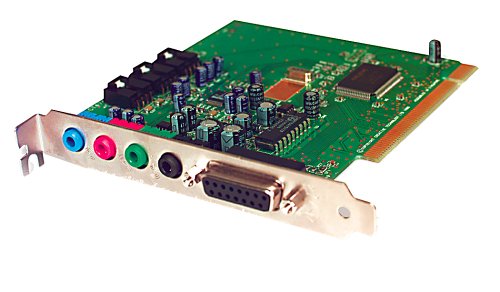
The sound card functions as an audio processor for your computer. Analog or digital signals come into the input of the card and are digitally interpreted as algorithms which are in turn interpreted as waveforms and produce a sonic signal in the output of the computer sound card. The sound card is an installed, running device on your computers system, with programmed hardware properties and separate device drivers. The sound card controls all audio on the computer.

Graphics Card


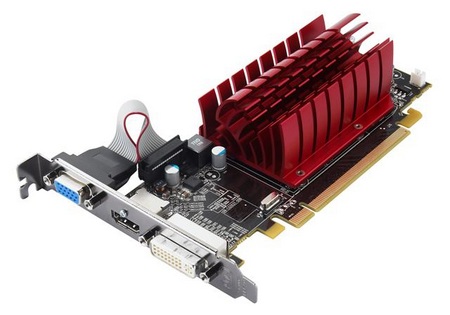
The processing power of a graphics card or video card enables a computer to produce images in faster motion and better detail, a necessity for some computer games and video software. A graphics card has its own processor, a GPU or graphical processing unit. This allows the computer to play more detailed games and run resource intensive graphical applications such as video editing tools etc.


Purpose Of A Operating System (OS)


An operating system is used to help users perform tasks more easily and faster. Operating systems use a graphical user interface (GUI) instead of lines of coding and commands. Without an OS, you would not be able to tell the computer to do anything and it would have no instructions to follow.


MS-DOS


WINDOWS 7