Tuesday, 14 December 2010

North / South Bridge


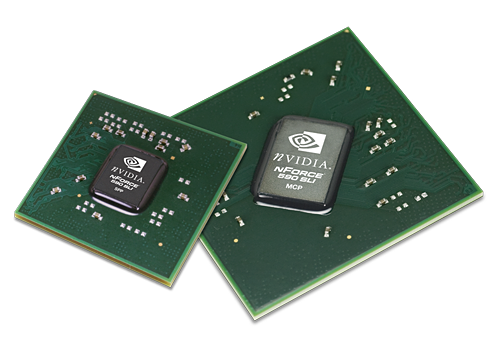
The north and south bridge, also known as a chipset are used to control the flow of data to components on your computer. The north bridge contains the cache and main memory controllers (RAM, CPU and Graphics etc). The south bridge handles data from PCI, USB, IDE, SATA, Network, Audio etc.


How it works:
Let’s just say we want to type a word on the screen, when we press the keys on the keyboard, the command gets sent through the USB connection to the south bridge. The south bridge then sends the command to the north bridge and then to the CPU (Processor), where it will be processed and decoded into binary. Then the CPU will store the command to the RAM before sending it to the graphics card (AGP or PCI-Express). The words will then show up on the monitor.


The north bridge is normally larger and has more processing power then the south bridge because the north bridge needs to process and transfer more data then the south bridge. The example above shows that the north bridge processes / transfer more data then the south bridge as the example used all three north bridge components and the south bridge only used one.

Peripheral Component Interconnect (PCI)


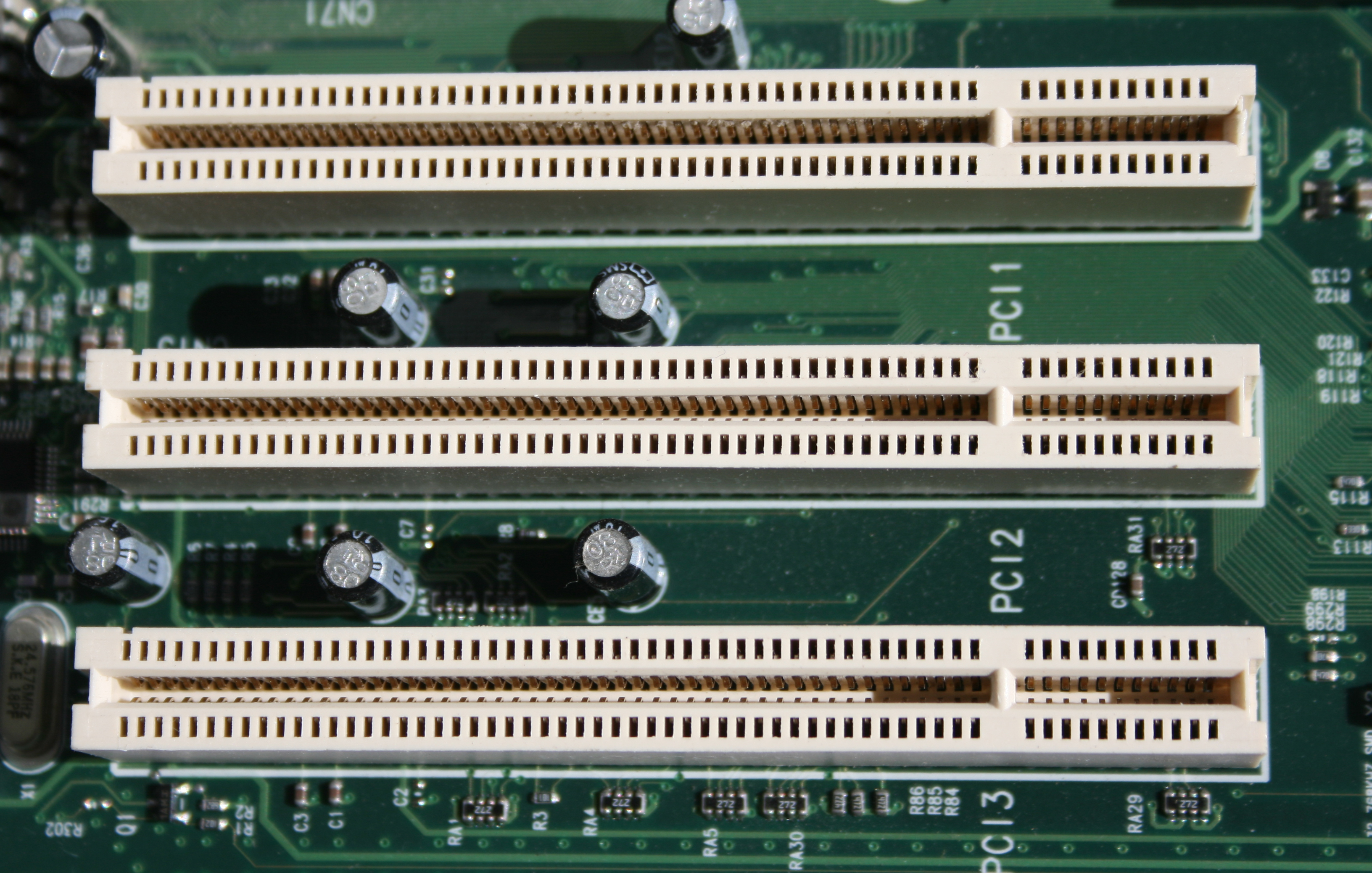
PCI (Peripheral Component Interconnect) slots are used to a variety of components such as NIC’s (Network Cards (Wireless and LAN)), Audio Cards, Graphics Cards, USB Cards, TV Cards etc. The PCI slots are used for expanding hardware of your computer.

Disc Drive


Disc drives are used in every day computers. They are used for installing software (such as operating systems, Microsoft office etc) and watching films etc. The main components of a CD/DVD ROM drive are a small drive motor, a tracking mechanism and a laser/lens assembly, all of which connect to the motherboard of the computer via a 40-pin ribbon cable (IDE).

SATA


SATA cables are used for the same purpose as IDE cables but have a greater transfer speed. These are smaller and more compact then the large IDE cables.

Integrated Device Electronics (IDE)


Disc drives are used in every day computers. They are used for installing software (such as operating systems, Microsoft office etc) and watching films etc. The main components of a CD/DVD ROM drive are a small drive motor, a tracking mechanism and a laser/lens assembly, all of which connect to the motherboard of the computer via a 40-pin ribbon cable (IDE).

Floppy Drive


A floppy disk drive reads and writes data to a small, circular piece of metal-coated plastic similar to audio cassette tape. This technology has been outdated by the CD/DVD disc and USB storage devices. Floppy Disks on average hold 3.5MB of storage.

Universal Serial Bus (USB)


A variety of USB devices such as USB storage devices, webcams, microphones, cameras etc can all be connected to a USB port on a computer. USB is an easy way of connecting devices as most devices are plug and play. This means that when you plug the device in, the operating system will automatically detect and install the drivers for you and the device will begin to function without the need of the user to manually install drivers and software for the device.